
You can chat with other users of Tournamentbase using the messaging feature. This allows you to invite others to tournaments, arrange friendly matches, or discuss questions about a tournament. The messaging feature is available to all registered users, regardless of whether they are using the free version or the premium features.
Send message to tournament organizer
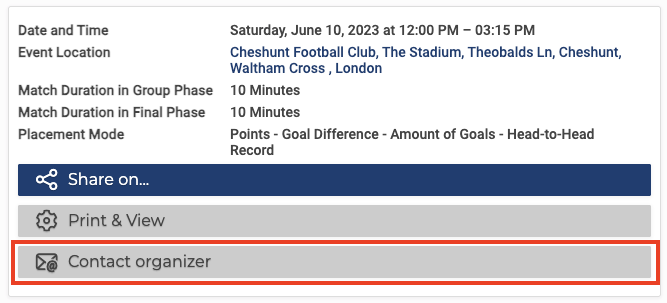
On each presentation page (the page with the tournament details), you will find a “Contact organizer” button in the top right-hand corner. Click on it and you can send a message to the organizer or creator of the tournament. To do this, you need to have an account with Tournamentbase and be logged in.
Read messages

You can access your messages via the “Messages” button in the main menu. A blue dot indicates new messages. In the future, we also plan to send you an email as soon as you receive a new message.
Reply to messages
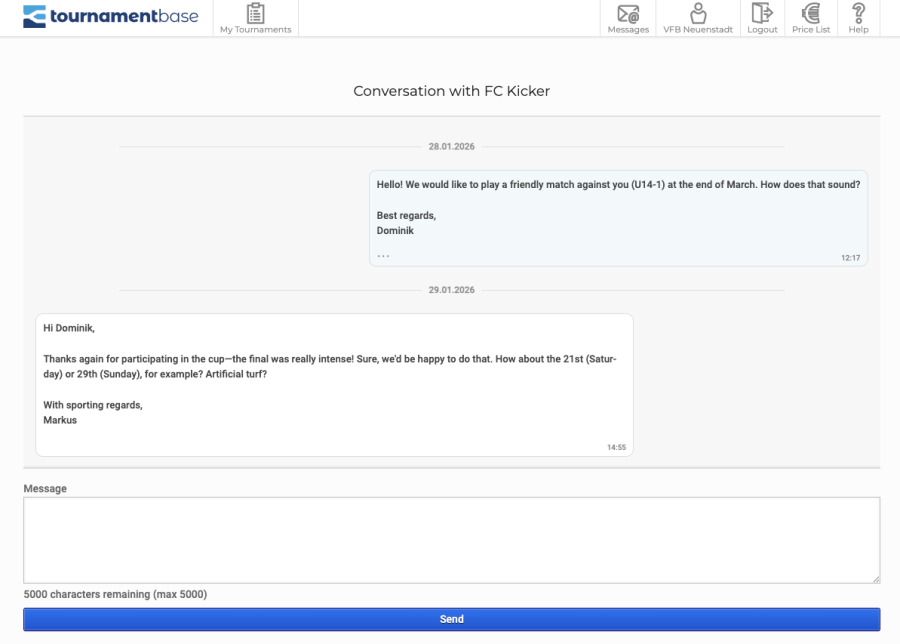
After clicking on “Messages” in the main menu, you will be taken to your chat overview.
There you can now select a chat and start writing.
Future development
You can already use the messaging feature to:
- Invite other organizers (clubs, teams, individuals) to one of your tournaments.
- Arrange friendly matches.
- Discuss questions about the tournament.
Currently, messages can only be sent to the creator of a tournament. The creator has the option to reply. In the future, we plan to add the following features to the messaging function:
- Invite external users to Tournamentbase: e.g., to arrange friendly matches or invite teams to tournaments that are not yet registered on Tournamentbase.
- Notification of new messages via email