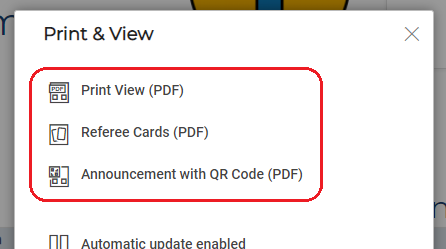
Using the Print & View button on the Presentation Page, you can choose between three functions for creating a PDF file:
Print View (PDF)
By selecting Print View (PDF), you can create a PDF for the entire tournament. In addition to the information on the Presentation Page, it also has a QR code that users can use to access this Presentation Page.
This PDF can also be found on the My Tournaments page under Tournament Links.

Referee Cards (PDF)
You can use Referee Cards (PDF) to print out playing cards for the tournament referees.
Notice with QR code (PDF)
When you select Notice with QR code (PDF), a PDF opens with a QR code that leads to the Presentation Page when scanned. This PDF is intended to be used as a notice for the tournaments so that the audience can follow it live.
This PDF can also be found on the My Tournaments page under Tournament Links.