
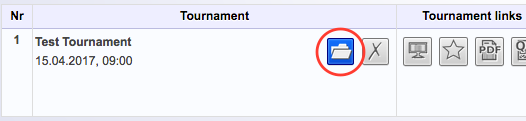
After creating your tournament you can start editing it. If you’re still in the Prepare Tournament view, just click Save and Calculate Plan. If you’re in the My Tournaments view, open the tournament by clicking the file symbol.
You can see the schedule on the left and the current rankings of teams in the table on the right. In the mobile version you’ll see the ranking on top and the schedule on the bottom of the page.
Enter scores
To enter the scores of a team go to the match schedule and find the column Result. Enter the scores of the teams and click on the blue button with the check mark in order to save the results.
Viewers who are using the Presentation page will see the results live (there can be short delays).
Mark match as active
To mark a match as active just tick the little box in the Active column and save your settings. Active means that this match is being staged right now. The match will be highlighted in red. Viewers can see all changes live. As soon as the match is over, just uncheck the box and save again.
Unrivaled matches
Unrivaled matches are not being counted. The entered scores will not be used in the ranking calculation.
To have a team play unrivaled simply put an exclamation mark before the score when you enter the scores. For instance, enter !7 : 4. Unrivaled matches will be highlighted in blue. If all matches are marked as unrivaled the ranking table will stay empty.
Extra time and penalty shootout
In a final round the score of a match can be marked as having been achieved with Extra Time (E.T.) or with Penalty Shootout (P.S.). Herefore, just tick the respective box and click Save.