
The assistant’s link is available for premium users. It makes it possible for you to invite assistants to edit your tournaments without giving them your login data.
To use this go to Assistant link under My Tournaments and click the check mark next to Assistant Link – Enter Results without Login. Below you will now see a link that you can copy and send to your assistants. They can now enter the results of the tournament.
In case the link gets into “the wrong hands”, you can generate a new link by clicking the Repeat symbol. The first link can’t be used anymore.
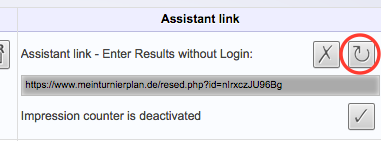
By clicking the cross you can deactivate this function, so that entering results will only be possible by logging in.