
In order to set up your first tournament there’s just a few simple things you need to do. Just follow these instructions step by step.
To set up a tournament you need to register and log in to Tournament Base. After logging in you will find yourself on the page My Tournaments.
Create a new tournament
If you do not have any tournaments yet, this page will be pretty empty. Let’s change that! Just enter the name of your tournament and click Create tournament.
You now have created your first tournament and find yourself in the tab Prepare tournament ▸ General properties, Modus.
Edit general information
You can find the name of your tournament at the top of this page. If you want to edit or change the name of your tournament you can do so here.
Below the name box you will find information about the presenter. You can read more about this under Presenters and Sponsors.
The number of participants depends on the mode – not every number of participants works in each mode. Get more info about modes and numbers of participants here. For an example we will select 6 participants and 1 group (Everyone competes everyone).
Under First Match Number in this Tournament you can pick a number for the first match, for example to avoid having a consolation round start with number 1. Under Best reachable place in this tournament you can set the best possible ranking to be seventh instead of first, for instance.
If you’re interested you can follow reading on Group phase with second half, Use participants logos, Use your own group names and Connect tournaments.
Click Save and continue to set participants.
Set participants
After adding general information you can now add the participants. The page should look like this:
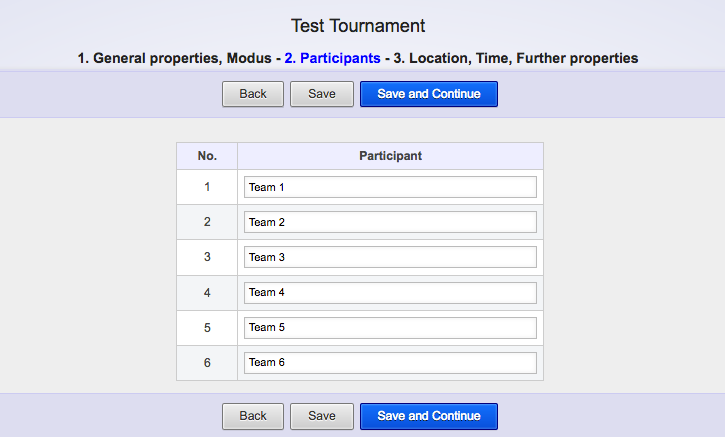
If you want to edit the general information once more, just click Back.
Here, you can enter the names of all the teams that are going to participate in your tournament. If you don’t know all of the participants yet, just click Save to save your work until here – you can always come back here and continue editing. You can also go to the next step and come back later by clicking Back. Now, it looks like this for me:
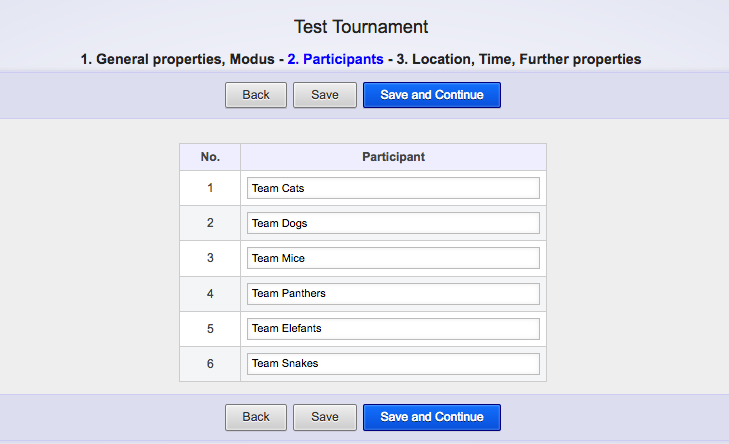
Click Save and Continue to get to Location, Time, Settings.
Set location, time and additional settings
Here, you can enter a location, time and additional settings.
In the first four boxes you can enter the location, street address, city (community, village…), as well as the zipcode. This is an example of how it can appear in the end:
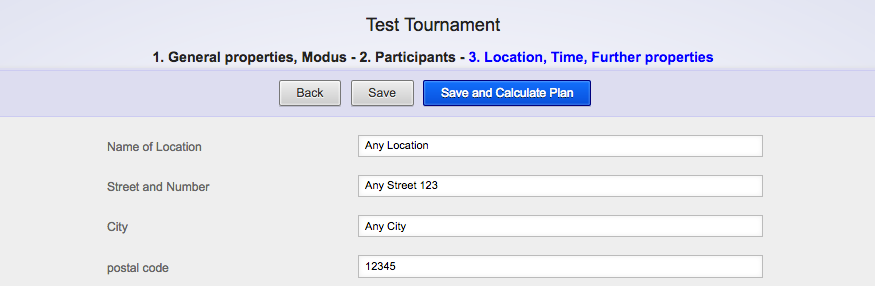
Below, you’ll find four settings for the fields: here, you can enter the quantity of fields as well as the first field’s number. You can read more on this under Fields.
Then, you’ll find the time settings. Here, you can enter the starting time, duration of each match, and duration of breaks between matches. I want my tournament to start at 8am. Also, I want one match to last for 15 minutes and there should be a 5 minute break between matches. Continue reading under Set date and time for matches. It’ll look like this in the end:

With the option below you can determine the referees to be provided by the teams. If this option is activated you’ll see the number of the responsible referee for each match.
With the next option you can activate the ideal display for video projectors (here: Beamer) which leads to bold writing in the display.
Under calculation mode you can pick one of the two following options: the DFB key or the Standard from MeinTurnierplan. If you prefer a different key you can edit the Match order later.
The remaining options are not needed right now. Click Save and Calculate Plan for the tournament to be calculated.
Now, you’re in the tab Run Tournament. Congratulations, you’ve created your first tournament in as few as five minutes! Just have a look at this page and experiment for a little while. Afterwards, you can continue reading.